

|
|
|
|
|
|
|
|
|
|
|
|
|
|
|
|

|
|
|
 |
Contrast |
||
|
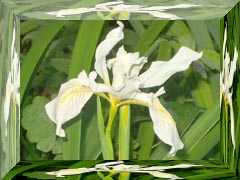
Contrast changes the character of the colors in the facets to make
them appear more or less enhanced relative to the center of the image.
Often after the highlight and shadow effects are applied the facets
look somewhat faded and their appearance clashes with the
unmodified original image in the center. Contrast can help to compensate
for that when it happens and realign the appearance of the facets
with the original image.
The following example shows Contrast at two different settings.
|
|||

| Copyright © 1994-2013 Tom Carlino | ||