|
|

|
PHOTOSWIZZLE
Picture Frame+ Help
|
|
With Picture Frame+ you can use a texture to instantly build a frame
around an image. Picture Frame+ is similar to Picture Frame
but with more powerful features including:
- More Symmetry choices
- Independent left-right and up-down Skew controls for each frame side
- Automatic texture centering within the frame to help with corner matching
- Automatic sizing of the frame for an exact fit to the texture size.
The extra features in Picture Frame+ are designed to help you
achieve the best possible corner matching by giving you maximum
flexibility for texture painting direction and alignment.
A texture file can be any image file in JPG or PNG format.
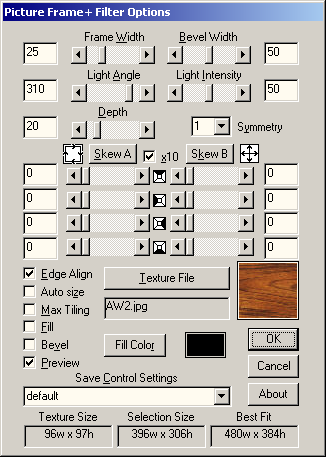
Below is a screen shot of Picture Frame+ showing the default settings,
except for the Texture File selection which shows a sample of a wood
type texture. The control names are listed alphabetically alongside
the screen shot. Click on any control name or anywhere in the
image for more information.
|