

|
|
|
|
|
|
|
|
|
|
|
|
|
|
|
|

|
|
|
 |
3D Controls |
||||||||||||
|
The 3D controls include Z Rotation, Depth, Fill Style and Fill Color.
These all work together to give the image a 3 dimensional appearance.
First and most important is Z Rotation. If Z Rotation is set to 0
the image is flat and the other 3D controls have no effect.
Z Rotation has a range of 0 to 90 degress where 0 is like looking at the
image from a bird's eye view directly above it, and 90 is like looking at
it directly side-on.
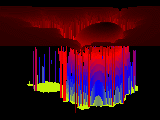
For example, here's Meltdown from
the Fractal Gallery at three different angles:
Next comes Depth which affects the 3D rendering in the vertical (Y) dimension. Depth has a range of 1 to 100 where 1 is minimum and 100 is maximum. At minimum depth the image is effectively flat while at the other end the 3D rendered image covers most of the vertical dimension. For example, here's Lumpy Gravy from the Fractal Gallery at three different depths:
Fill Style has three choices. Style 1 is basically a skeletal rendering. Style 2 fills in some of the skeletal structure but also preserves some transparency so that you can partially see through the forward features down to the more distant features. Style 3 fills in the structure more completely and gives the rendered image a more solid appearance. For example, here's Emerald City from the Fractal Gallery with the three fill styles:
The 3D rendering superimposes some parts of the image on top of others so some areas of the canvas are left empty by the rendering process. Fill Color selects a color to fill up all of the empty spaces. There are 12 choices for Fill Color including any one of the colors in the Color Palette and the current foreground (FG) or background (BG) colors of the graphics editor that you're running. The FG and BG selections give you a little more flexibility in choosing the color but note that these values aren't saves in the Save Control Settings so you have to be careful to select the foreground and background colors before you run Fractals. Here's an example of Emerald City again from the Fractal Gallery with some of the other Fill Colors in the image palette:
|
|||||||||||||




| Copyright © 1994-2013 Tom Carlino | ||