|
Bevel selects between two ways that the highlight and shadow effects
are applied to the beveled area of the frame.
The width of the beveled area is controlled by
Bevel Width.
When Bevel is not selected the lighting effects are variable over the
beveled area, strongest at the edges of the frame and gradually weaker
moving into the center of the frame. This gives the frame edges a
rounded look.
When Bevel is selected, the lighting effects are constant over the
beveled area. This give the frame edges a hard chiseled look. The
example below shows a wood frame with and without bevel selected.

Bevel not selected
|
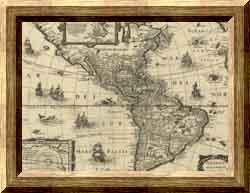
Bevel selected
|
|